Thank you! Your submission has been received!
Oops! Something went wrong while submitting the form.
Call conferencing lets you bring multiple parties into one call so everyone can talk together. In 3CX v20 you can:
• Convert an existing active call into a conference and add further participants.
• Schedule a conference (via “Meet”) in advance and invite participants by link or dial-in.
• Use desk-phones, web/desktop clients or mobile apps to participate.

During a Live Call
1. On your desk-phone, softphone or mobile app, press the Conference (or “Conf”) button.
2. Dial the extension, user or external number to add.
3. When they answer, press Conference (or merge) to join all parties.
4. To add more participants, repeat the process.
On Web / Desktop Client
In the Web/Windows client, while on a call click the “Conference Call” button, then select the participant(s) by extension, name or number.
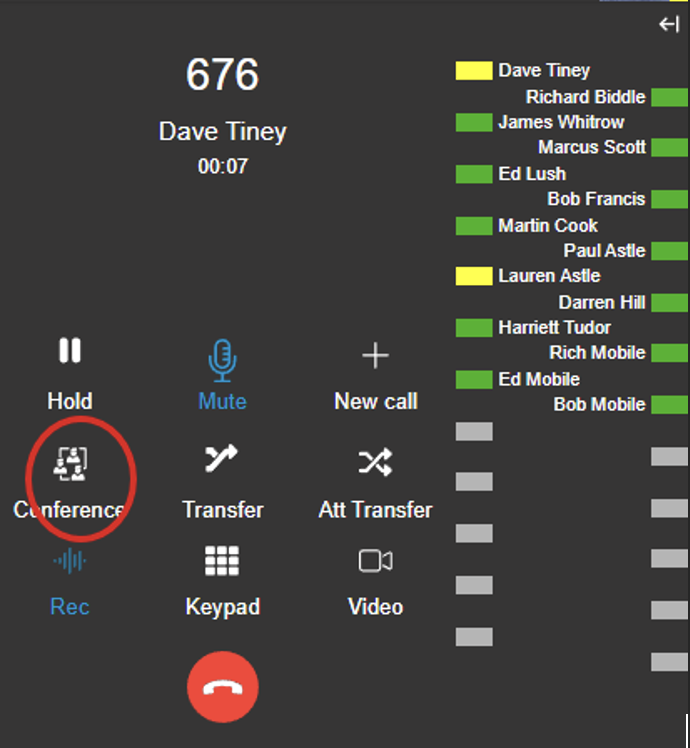
On Mobile App (Android/iOS, v20)
During the call tap the “Conference” icon to dial another participant.
If supported, you may tap “Merge” when an incoming call arrives to add them into the conference.
1. Open the Web Client or Desktop App
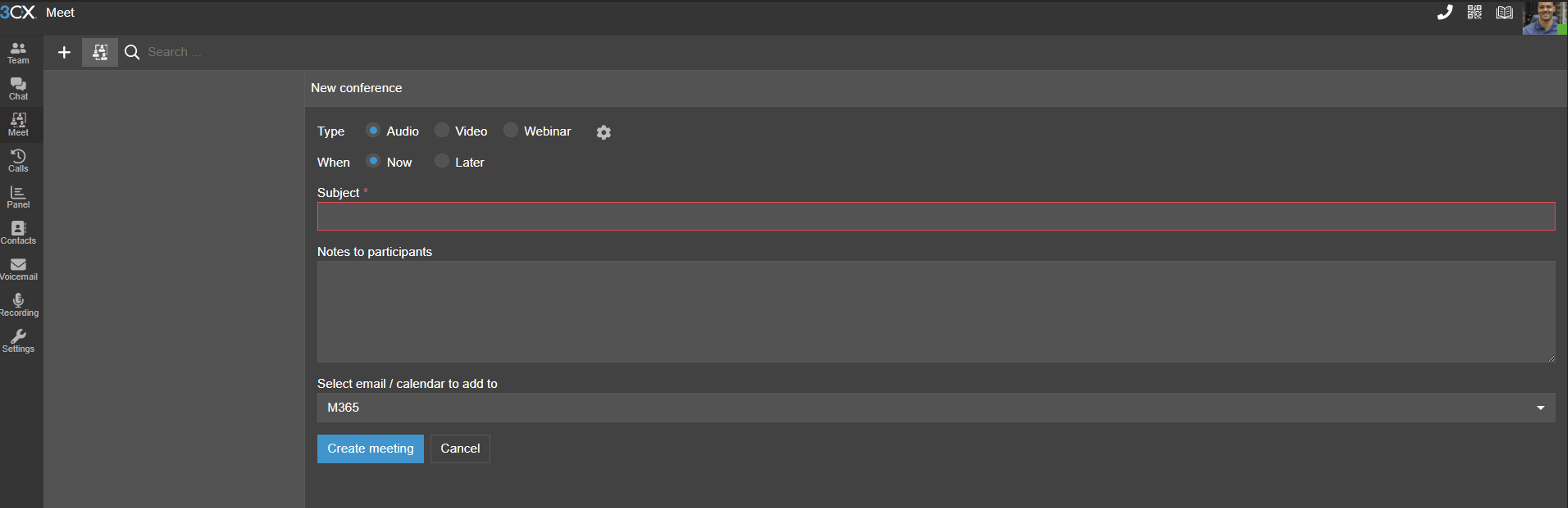
2. Navigate to Meet → “Schedule Conference” (click “+” or similar)
3. Enter:
4. Save the session and send calendar invites (if supported).
5. At the scheduled time participants join via link or dial-in. You can edit or cancel the scheduled conference as needed.
Please note that this support guide is here to assist users with technical issues. You undertake these steps at your own risk and Bytes Digital Limited is not liable in any way for any malfunctions or other issues caused by users undertaking the steps outlined in this guide. We would encourage customers of Bytes Digital to call us with any support-related enquires.